
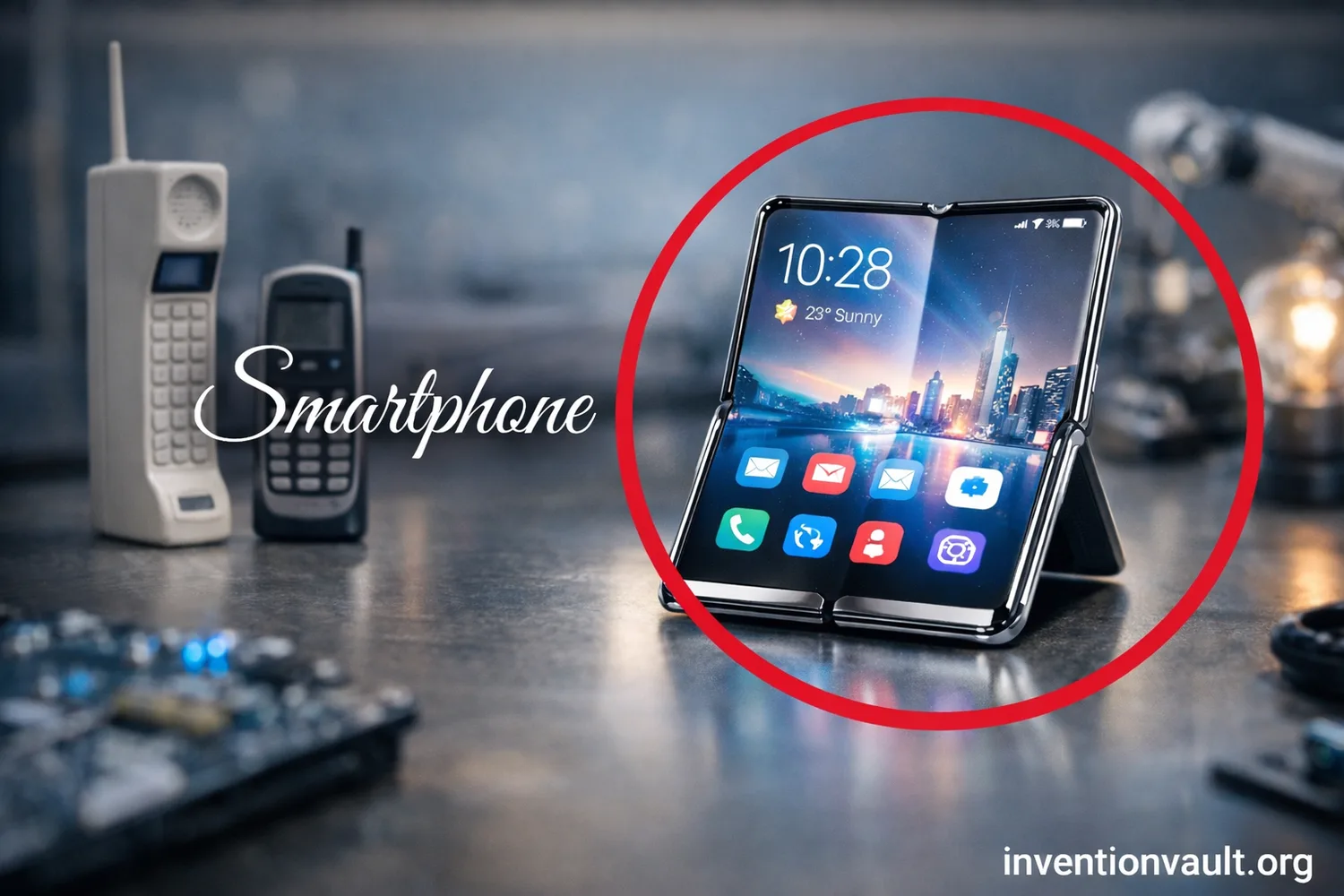
| Invention / Concept | Smartphone as a pocket communication hub that blends cellular calling, computing, and app-based services |
| Early Prototype Milestone | IBM’s “Sweetspot” prototype shown at COMDEX on November 16, 1992 |
| First Commercial Example | IBM Simon Personal Communicator (often cited as the first commercially sold smartphone-like device) |
| Consumer Availability | Simon reached consumers on August 16, 1994 (after a planned earlier launch) |
| Lead Architect | Frank Canova (IBM engineer associated with Simon’s concept and architecture) |
| Who Built It | Manufactured by Mitsubishi Electric for IBM; sold through BellSouth under the Simon name |
| Why Simon Mattered | Combined cellular phone functions with PDA tools such as calendar, contacts, and a notepad; supported messages and document-style communication (including fax) |
| First Widely Marketed “Smartphone” Label | Ericsson R380 (introduced in 1999; shipped around 2000) is often cited as the first device marketed as a “smartphone” |
| Modern Smartphone Turning Point | The iPhone went on sale on June 29, 2007, popularizing the full-touch, app-first model |
| Key Components | Cellular networks, compact touchscreens, lithium-ion batteries, and highly integrated system-on-chip (SoC) designs |
| Typical Inputs Today | Multi-touch, voice, biometrics (fingerprint/face), plus optional stylus and physical buttons |
| Common Connectivity | Cellular (4G/5G), Wi-Fi, Bluetooth, NFC, and satellite navigation (GNSS) |
| Core User Value | One device that can reach people, access information, and coordinate daily life from almost anywhere with coverage |
Smartphones combine cellular communication with a general-purpose computer in one portable device. A single handset can handle voice, messaging, video calls, and real-time apps while switching between networks and using onboard sensors. This integration created a pocket-sized platform for communication, computing, and networked services.
What Makes A Smartphone A Communication Hub
A smartphone is a networked computer with cellular calling and communication functions built around instant reachability. Multiple services share the same radios, screen, and user identity, allowing a contact to move between text, voice, and video on the same device.
- Voice Calling and VoIP can coexist, selecting the best path for clarity and availability.
- SMS/MMS remains a simple, reliable layer; modern messaging adds end-to-end encrypted chats in many apps.
- Email and calendars turn the device into a portable inbox with push notifications and quick replies.
- Video Calling leverages cameras, microphones, and fast networks to create face-to-face presence at distance.
- Sharing tools (files, photos, location) act like a real-time collaboration layer inside everyday conversation.
Smartphone integration comes from calling, messaging, media, and apps sharing the same identity and connectivity stack.
From Early Hybrids To Modern Touch Computers
The smartphone story starts with hybrid devices that blended PDA organizers with cellular radios. IBM Simon showed the concept in a single handheld: a touchscreen phone that also managed contacts, notes, and lightweight messaging. Later devices refined the idea, then the full-touch era made apps the center of the experience.
Milestone Threads
- 1992–1994: Early “phone + PDA” integration becomes real with touch input and built-in utilities.
- Late 1990s–2000s: More compact “smart” phones bring email and mobile web into daily use.
- 2007 onward: Large touchscreens and app ecosystems define the modern template.
Why The Concept Stuck
- One addressable device for reaching you: calls, messages, and alerts converge.
- One portable screen for information: maps, schedules, documents, and media.
- One software platform where new abilities arrive through apps instead of new hardware.
Core Hardware Inside The Pocket
Inside almost every smartphone is a tightly integrated set of parts designed for battery efficiency and constant connectivity. The key is integration: the system-on-chip (SoC) bundles major compute functions so the phone can stay fast without wasting power.
Compute And Memory
- CPU for general tasks, app logic, and system control.
- GPU for graphics, UI animation, and many camera workflows.
- Neural/AI Accelerators for on-device features like photo enhancement and voice processing.
- RAM for multitasking; storage for apps, photos, and offline data.
Radios And Antennas
- Cellular Modem connects to towers for voice and data.
- Wi-Fi handles local networking and internet access indoors.
- Bluetooth powers accessories like earbuds and watches with low energy use.
- NFC enables tap-based pairing and secure short-range interactions.
Sensor Layer
- Accelerometer and gyroscope detect motion for rotation, gaming, and stabilization.
- GNSS (satellite navigation) supports maps and location-based services.
- Ambient light and proximity improve display comfort and call behavior.
- Biometrics can add fast, convenient device unlocking.
| Sensor | What It Measures | What You Notice |
| Accelerometer | Linear movement | Auto-rotate, step tracking, smoother interaction |
| Gyroscope | Rotation | Stabilized video, accurate motion control in apps |
| GNSS | Satellite-based position/time | Turn-by-turn maps and reliable time sync |
| Wi-Fi / Bluetooth | Nearby networks & devices | Indoor positioning, accessories, quick sharing |
| Biometric | Fingerprint or face patterns | Fast unlock and safer app access |
Connectivity Layers That Work Together
A smartphone keeps a stack of connections ready, shifting between them to stay reachable. Cellular networks provide wide-area coverage, Wi-Fi handles local network access in homes and offices, and short-range radios link peripherals. This layered approach lets the device stay connected through more than one method.
Cellular
4G/5G data supports modern messaging, calling, and video. Phones also manage handoffs so you can move between areas while keeping services stable.
Wi-Fi
Wi-Fi often delivers high throughput with low cost, ideal for calls over Wi-Fi, large downloads, and backups.
Short-Range Links
Bluetooth connects wearables and audio; NFC enables tap interactions; together they expand the phone into a personal device ecosystem.
| Network Era | User-Visible Shift | Typical Smartphone Impact |
| 2G | Digital voice and text | SMS becomes universal; basic data begins |
| 3G | Practical mobile internet | Web browsing, email sync, early app services |
| 4G | Fast, consistent data | Streaming, cloud apps, reliable video calls |
| 5G | More capacity and lower latency | Better performance in dense areas; smoother real-time experiences |
Software That Turns Components Into Everyday Tools
The smartphone combines its hardware through operating system design and the app model. The OS coordinates radios, sensors, and power so apps can provide services such as calling, navigation, photography, and collaboration.
Three Software Ideas That Shaped Smartphones
- App Sandboxing keeps apps separated so one app cannot freely read another app’s data.
- Permission Controls let you approve access to camera, microphone, location, and contacts.
- Background Services power push notifications and real-time sync without requiring the screen to stay on.
Software updates also extend the useful life of a smartphone. Modern platforms deliver security patches, improve stability, and add features over time, helping the device remain a reliable daily tool.
Smartphone Form Factors and Sub-Types
“Smartphone” describes a function, not a single shape. Different sub-types tune the same core idea—connected computing—for different priorities like portability, durability, or immersive media. Knowing these categories helps you understand why certain models emphasize particular hardware.
| Type | What It Emphasizes | Common Trade-Off |
| Touch Slab | Balanced design for apps, media, and daily messaging | Few physical controls; heavy reliance on screen input |
| Foldable | Phone-to-tablet flexibility with a larger workspace | More complex mechanics; thicker build |
| Rugged | Extra protection for demanding environments | Heavier, bulkier bodies |
| Camera-Focused | Advanced optics and processing for photo/video | Camera bump, higher power use during capture |
| Gaming | High-refresh displays and sustained performance | Often larger; more heat under long sessions |
| Stylus-Ready | Precise input for notes, markup, and drawing | Extra internal space devoted to stylus system |
Power, Charging, and Thermal Control
Smartphones run on lithium-ion batteries managed by a dedicated power system that balances speed, longevity, and safety. Charging can be wired (commonly via USB-C) or wireless using standards like Qi, which focuses on interoperability for compatible chargers and devices.
How Phones Keep Heat Under Control
- Dynamic performance lets the chip run faster briefly, then ease back to stay comfortable.
- Thermal materials spread heat so no single spot feels too hot.
- Charging management adjusts power to protect the battery and reduce excess warmth.
Battery health is influenced by chemistry and usage patterns. Phones reduce stress by limiting extreme conditions, and many offer settings that optimize charging based on routine. These controls aim to provide reliable day-to-day power while reducing unnecessary battery wear.
Cameras, Audio, and Media as Communication
Modern communication is often visual and audio-first, so smartphones evolved into capable media devices. Cameras support sharing, scanning, and real-time presence; microphones and speakers enable clear conversation and hands-free interaction. A smartphone’s “hub” role grows when media becomes part of the message.
- Computational Photography blends sensor data and processing so results look consistent across lighting conditions.
- Document Capture turns cameras into practical tools for receipts, notes, and forms, often with edge detection.
- Noise Handling and multiple microphones help isolate voice for calls and recordings.
- Streaming merges capture, upload, and chat into one live channel.
Trust Features That Support Daily Use
A smartphone depends on reliable security controls to protect daily use. Features such as device encryption, app isolation, and biometric unlocking protect access and reduce accidental sharing while keeping common tasks convenient.
Everyday Security Features
- Secure Unlock via PIN and biometrics
- App Permissions that can be reviewed and adjusted
- Verified Updates to keep the system healthy
Accessibility As A Core Feature
- Screen readers and magnification
- Captions and hearing support options
- Voice control for hands-free interaction
Why Smartphones Replaced So Many Separate Devices
The smartphone’s impact is easiest to understand as convergence. Functions that once required separate tools—camera, GPS unit, music player, organizer—became software-driven features sharing the same sensors and connectivity. When new needs appear, the phone often adapts through apps and updates rather than new hardware categories.
Common Hub Jobs A Phone Handles Daily
- Coordination: schedules, reminders, and shared calendars
- Navigation: maps, transit, and location sharing
- Identity: secure sign-in, authentication prompts, and trusted devices
- Capture: photos, video, scanning, and notes
- Conversation: voice, chat, and video in one place
The smartphone remains a platform for communication and connected computing. Improvements in networks, chips, cameras, batteries, and software continue to expand what the same handheld device can do, including clearer calls, richer media, and faster access to information used in everyday decisions.
References Used for This Article
- Smithsonian Institution — IBM Simon Cellular Phone: Museum catalog entry supporting the device’s identity and historical significance.
- Computer History Museum — IBM/BellSouth Simon Personal Communicator – CHM Revolution: Clear overview of Simon’s hybrid phone/PDA feature set and why it’s often labeled an early smartphone.
- Apple Newsroom — iPhone Premieres This Friday Night at Apple Retail Stores: Primary source confirming the initial iPhone on-sale date and launch framing.
- Wireless Power Consortium — Qi Specifications: Standards-body reference for Qi wireless charging versions and baseline positioning.
- International Telecommunication Union (ITU) — IMT-2020 (a.k.a. “5G”): Authoritative framing of IMT-2020 as the global umbrella for 5G-related objectives and work.
- 3GPP — 5G System Overview: Standards-development overview describing the 5G system architecture and continuity with earlier generations.
- GPS.gov — Other Global Navigation Satellite Systems (GNSS): Government reference explaining GNSS as the broader category that includes GPS and other constellations.
- NIST CSRC — SP 800-124 Rev. 2, Guidelines for Managing the Security of Mobile Devices in the Enterprise: Security guidance supporting claims about mobile risk, controls, and enterprise device management.