
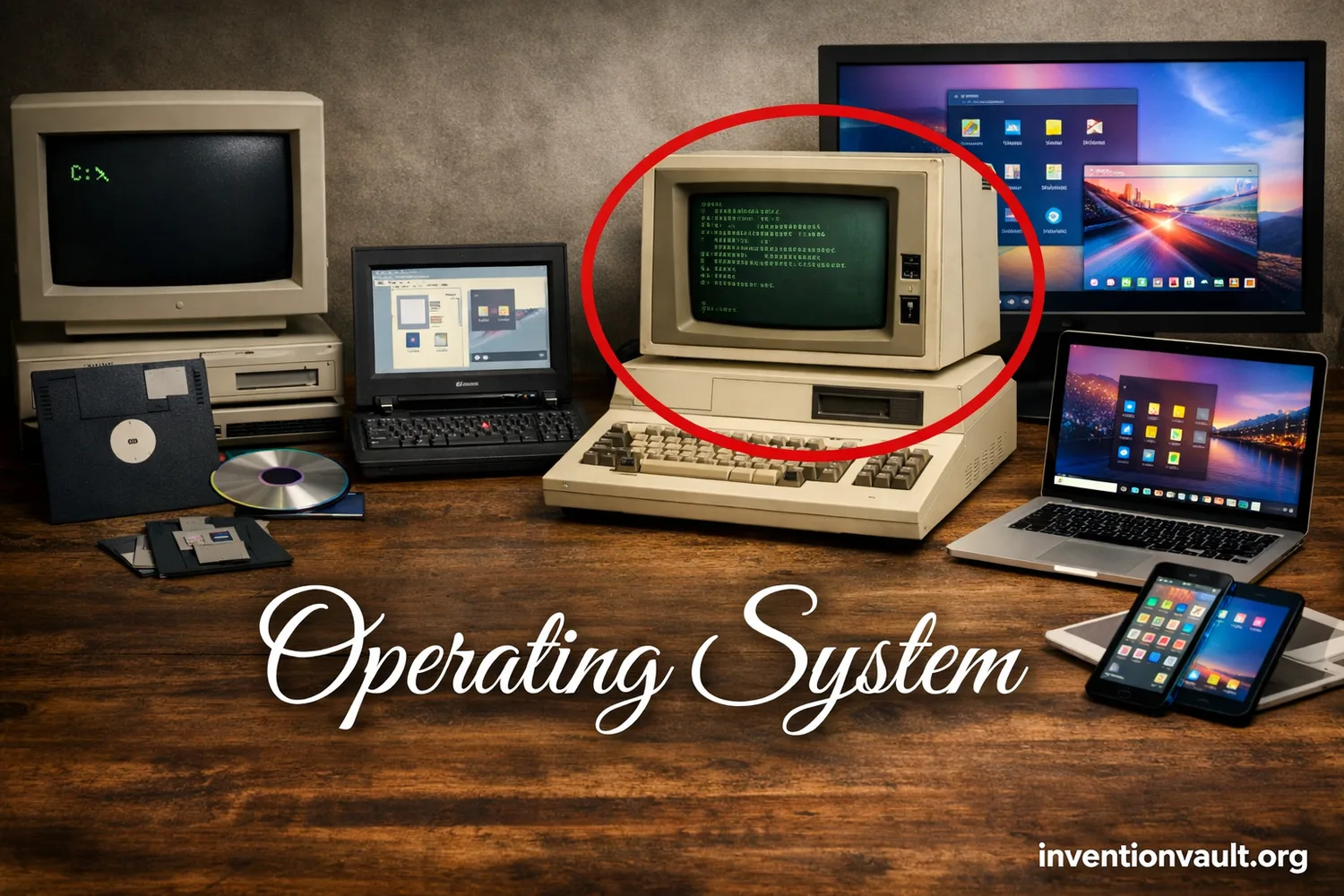
| Invention / Concept | Operating System (system software that manages hardware and runs programs) |
| Core Purpose | Resource control, safe sharing, and reliable execution of applications |
| Often Cited Early OS | GM-NAA I/O for the IBM 704 (mid-1950s, often dated to 1956) |
| Why It Emerged | Manual machine operation was slow; teams needed batch processing and repeatable job control |
| Key Early Ideas | Job scheduling, device management, shared libraries, and accounting for compute time |
| Major Milestones | CTSS (early time-sharing, 1961); OS/360 (large-scale system family, 1964); UNIX (portable multiuser design, 1969); Linux kernel (1991) |
| What “OS” Includes | Kernel, drivers, file system, system libraries, and user interfaces (text and/or graphical) |
| Where You Find It | Servers, desktops, phones, vehicles, appliances, and industrial controllers |
| Common OS “Families” Today | Desktop, server, mobile, embedded, and real-time |
| Typical Design Goal | Balance between speed, stability, and security |
An operating system is the system software that coordinates hardware resources and program execution without constant human intervention. It decides which tasks get CPU time, where data lives on storage, and how programs share memory without interfering with one another.
What an Operating System Controls
- CPU time for each process and thread
- Memory allocation, protection, and virtual memory
- Files and folders, plus permissions
- Devices through drivers and interrupts
- Networking via protocol stacks and firewall hooks
- User access with accounts and policy rules
The Practical Result
When an OS is doing its job, you feel smoothness and predictability, not the machinery underneath. Apps open, files save, audio plays, and devices respond because the OS keeps the system state consistent.
Inside the OS
Kernel
The kernel is the privileged core of the operating system. It enforces memory protection, schedules the CPU, and communicates with hardware through drivers.
- Scheduler (who runs next)
- Memory manager (who owns which pages)
- I/O subsystem (disks, network, sensors)
System Services
These are the background services that support everyday operation: logging, updates, and network services. They also help keep the environment stable when apps misbehave.
- Service daemons (always-on tasks)
- Security agents (policy enforcement)
- Device discovery (plug-and-play)
Interfaces
Interfaces translate intent into action. A shell accepts commands; a GUI offers windows, menus, and touch.
- System calls (API into the kernel)
- CLI tools (scriptable control)
- Desktop / mobile UI (human-friendly workflows)
How Operating Systems Evolved
| Era | What Changed | Why It Mattered |
|---|---|---|
| 1950s batch systems | Job queues and device control | Less idle time, more repeatable runs |
| 1960s time-sharing | Multiple users on one machine, interactive terminals | Computing became interactive, not just scheduled |
| 1970s portability | Portable OS design and high-level languages | Systems could move across hardware with less rewriting |
| 1980s–1990s personal computing | GUI, networking, and multiuser security | Everyday workflows became visual and connected |
| 2000s–today mobile + cloud | App sandboxing, power management, virtualization | Always-on devices and scalable services became normal |
An OS is system software with privileged control over hardware resources. It provides an interface between applications and hardware, enforced by rules that keep resource use controlled and isolated.
Major Types of Operating Systems
| Type | Built For | Typical Priorities |
|---|---|---|
| Desktop OS | Personal work + interactive UI | Responsiveness, driver breadth, app compatibility |
| Server OS | Services + many clients | Stability, security controls, automation |
| Mobile OS | Touch devices + battery limits | Power management, sandboxing, fast updates |
| Embedded OS | Dedicated devices with tight resources | Small footprint, predictable I/O, long support |
| Real-Time OS | Time-critical control (deadlines) | Determinism, bounded latency, priority guarantees |
| Network / Distributed OS | Multiple machines as one system | Coordination, transparency, fault tolerance |
| Hypervisor (OS-adjacent) | Virtual machines with isolation | Strong separation, efficient scheduling, resource quotas |
Kernel Designs and Tradeoffs
Most OS design discussions focus on the kernel. Some designs favor speed, while others favor isolation. The appropriate design depends on goals such as hardware variety, reliability, and how much functionality is placed inside the kernel.
| Kernel Style | What It Means | Common Strength | Common Challenge |
|---|---|---|---|
| Monolithic | Many core services run in kernel space together | Performance and direct hardware access | Bugs can have wide impact |
| Microkernel | Kernel stays small; services run in user space via messages | Isolation and fault containment | Messaging overhead and engineering complexity |
| Hybrid | Mix of both: a small core with selected services kept close for speed | Balanced behavior with practical performance | Boundary choices can become complex |
| Exokernel (research) | Kernel exposes hardware safely; libraries build higher-level services | Flexibility and custom control | Hard to standardize and adopt broadly |
Processes, Threads, and Scheduling
A process is a running program with its own address space. A thread is a smaller path of execution inside that process, sharing memory with sibling threads.
| What the OS Schedules | Runnable threads (often) and sometimes process groups |
| What “Context Switch” Means | Saving one task’s state and restoring another’s state so the CPU can continue execution elsewhere |
| What Good Scheduling Feels Like | Responsive input, fair sharing, and steady throughput |
Schedulers come in many forms, yet they often revolve around priorities, time slices, and fairness. Some workloads favor maximum throughput; others demand fast interaction. A real-time system adds a stricter requirement: tasks must run before a deadline, not merely within a generally responsive interval.
Memory Protection and Virtual Memory
Modern OS design relies on memory protection. Each process gets a private view of memory, and the OS enforces that boundary using hardware support and page tables. That separation is a major reason one crashing app does not necessarily bring down the entire system.
Virtual Memory
App sees:   0x0000 ... 0xFFFF  (clean, continuous view)
OS maps to: RAM pages + disk-backed pages  (when needed)
Guardrails: permissions per page  (read / write / execute)
Virtual memory also enables safe sharing. Shared libraries can be mapped into many processes while private data remains isolated. The OS manages these mappings transparently, supporting system stability without requiring applications to manage physical memory directly.
File Systems and Data Integrity
A file system organizes the OS’s persistent data. It structures data into named files and directories, enforces permissions, and helps keep content consistent when power is lost or a drive behaves unexpectedly.
- Metadata: names, timestamps, and ownership
- Journaling: tracks changes so recovery is cleaner and faster
- Access control: who can read, write, or execute
- Snapshots (in some systems): point-in-time views for rollback
What “Permissions” Usually Mean
Most systems express permissions as read, write, and execute rights tied to a user and group. This model works across many environments, from personal computers to servers.
Drivers and Hardware Communication
Hardware is diverse. The OS relies on drivers to translate generic requests into device-specific actions: draw a pixel, send a packet, or read a sensor. This driver layer is why the same application can run across many machines without knowing the details of each component.
| Common Device Categories | Storage, graphics, network, audio, and input |
| How the OS Stays Responsive | Interrupts notify the OS when a device needs attention, reducing busy waiting and improving efficiency |
Security Foundations Built into an OS
OS security depends on several coordinated controls rather than a single feature. A secure system uses least privilege, separation, and auditing so mistakes can be contained and suspicious actions can be traced.
- User accounts and roles with access controls
- Sandboxing to limit what apps can reach, even when they are running normally
- Code signing (where used) to confirm software origin and integrity
- Secure boot concepts to reduce tampering at startup and protect trust chains
OS Choices Shape Everyday Computing
An OS affects updates, hardware support, and app ecosystems. It also sets defaults for privacy, file formats, and recovery options. These choices directly influence compatibility, maintenance, security, and everyday use.
Selection Factors People Often Compare
| Factor | What It Touches |
|---|---|
| Compatibility | Apps, drivers, and file formats |
| Security model | Permissions, updates, and default protections |
| Performance profile | Scheduling, memory, and storage I/O |
| Manageability | Automation, tooling, and long-term support |
Glossary of Everyday OS Terms
| Kernel | The core that manages CPU, memory, and devices with privileged access and strict rules |
| Process | A running program with its own resources, permissions, and address space |
| Thread | A unit of execution inside a process; shares memory while running independently of other threads in timing |
| System Call | The controlled interface from an app into OS services, requested through a stable API and checked for permission |
| Driver | Software that translates OS requests into device-specific actions, supporting portability and compatibility |
| Virtual Memory | A managed view of memory that improves safety, enables sharing, and supports large workloads |
| File System | The structure that stores data with names, permissions, and integrity checks |
| Scheduler | The logic that decides what runs next, balancing responsiveness and throughput |
References Used for This Article
- NIST Computer Security Resource Center — operating system: A concise, official definition of what an operating system is and what it provides.
- Computer History Museum — Operating System Roots: A curated historical overview that discusses early batch monitors including GM-NAA on IBM 704.
- IBM History — The IBM System/360: IBM’s historical record for System/360, the platform era closely tied to OS/360’s mainstream impact.
- IEEE Computer Society History Committee — Compatible Time-Sharing System (1961-1973) Fiftieth Anniversary Commemorative Overview: A detailed historical account of CTSS and the early time-sharing ideas that shaped later systems.
- Bell Labs (Dennis M. Ritchie) — The Evolution of the Unix Time-sharing System: A primary-source narrative describing UNIX’s origins and design trajectory from within Bell Labs.
- University of California, Berkeley — The UNIX Time-Sharing System: A foundational technical paper that documents early UNIX structure and goals, including multiuser design.
- IEEE Standards Association — IEEE 1003.1-2024: The current POSIX.1 standard description for portable operating system interfaces and environments.
- Google Groups (comp.os.minix) — What would you like to see most in minix?: A preserved Usenet thread containing Linus Torvalds’ 1991 announcement of a new free OS project.