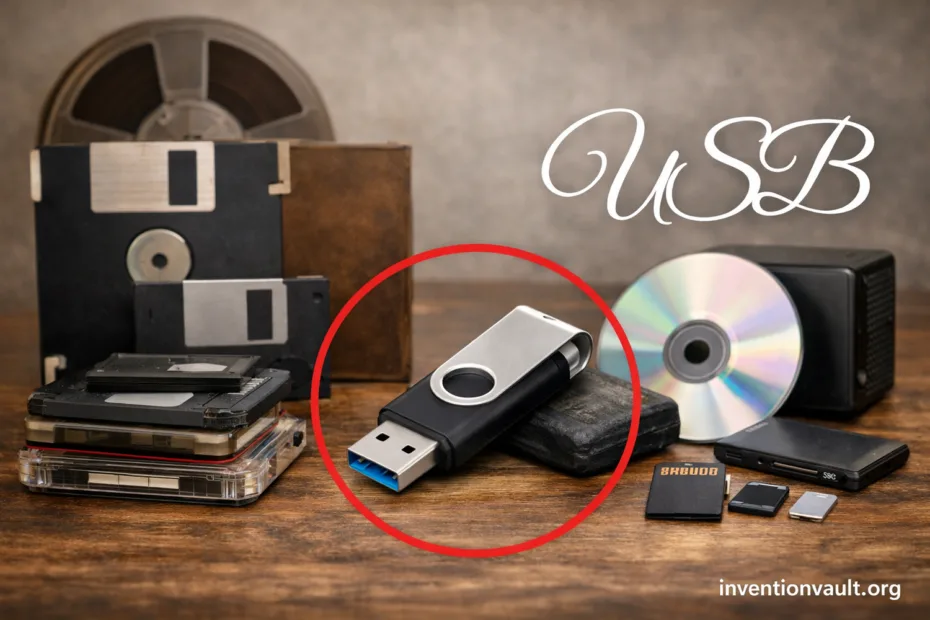
| Full Name | Universal Serial Bus (USB) |
| What It Is | A device connection standard that carries data and power over one cable, with hot-plug support. |
| First Public Specification | USB 1.0 issued on January 15, 1996. |
| Early Revision That Stabilized Adoption | USB 1.1 issued on September 23, 1998. |
| Standards Steward | The USB Implementers Forum (USB-IF), established in 1995, maintains specifications and compliance programs. |
| Original Industry Coalition | Developed through a multi-company effort that included Compaq, DEC, IBM, Intel, Microsoft, NEC, and Nortel. |
| Core Design Idea | A host-controlled bus that enumerates devices, assigns addresses, and schedules transfers with predictable timing. |
| Topology | A tiered-star layout using hubs (one host, many branches). |
| Transfer Styles | Control, Interrupt, Bulk, and Isochronous transfers, chosen per device need (commands, latency, throughput, or steady streams). |
| Key Connector Families | Type-A, Type-B, Mini, Micro, and USB-C. |
| USB-C Specification 1.0 | Published on August 11, 2014; brought a reversible, 24-pin connector designed for modern data and power needs. |
| Major Speed Milestones | USB 2.0 (April 27, 2000), USB 3.0 (2008), USB4 (August 29, 2019), USB4 Version 2.0 (2022). |
| Maximum Standardized Power (With USB PD) | Up to 240 W with USB Power Delivery 3.1 (up to 48 V capability under the specification). |
| What Makes USB Last | Backward compatibility across generations, while keeping device classes predictable for operating systems. |
USB is easy to take for granted. Plug in a keyboard, connect a drive, charge a phone, and move on. Under that calm surface sits a carefully balanced system: power rules, data scheduling, and a connector story that evolved from Type-A to USB-C and USB4.
- What USB Really Is
- Why USB Became the Default Connector
- One Port for Many Jobs
- A Practical Governance Model
- USB Versions and Speeds
- How USB Moves Data
- The Four Transfer Types
- Device Classes
- USB Connector Types
- USB-C Does Not Automatically Mean “Fast”
- USB Power and Charging
- Two Power Roles
- Why “240 W” Is Special
- USB-C, Video, and “Alt Modes”
- What Is Inside a USB Cable
- A Simple Mental Model
- USB Hubs and Real-World Limits
- Speed Is a Chain
- Power Is a Budget
- USB as an Enabling Invention
- USB Terms You Will See in Product Specs
- References Used for This Article
What USB Really Is
USB is not just a plug shape. It is a family of specifications that defines how devices identify themselves, how the host grants time on the bus, and how power is offered safely. One cable can carry data signals and electrical power at the same time, with rules that aim for interoperability.
- Universal means devices can share a common method for connection and communication.
- Serial means data moves as a timed stream of bits, not as many parallel wires.
- Bus means multiple devices can attach through hubs while the host coordinates access.
USB’s signature move is enumeration: when you connect a device, the host asks “who are you?” and the device answers with standardized descriptors.
Why USB Became the Default Connector
One Port for Many Jobs
Early personal computers carried many distinct ports. USB replaced that clutter with a single, repeatable model: connect, identify, configure. This made peripherals cheaper to design and easier to support, because the same USB device class idea could fit mice, storage, audio, and more.
- Hot-plug behavior that fits everyday use.
- Plug-and-play expectations with clear device descriptors.
- Power + data in one cable for many accessories.
A Practical Governance Model
USB-IF keeps the ecosystem aligned through specification stewardship and compliance programs. That matters because USB is a promise: a cable from one brand should work with a device from another brand, across many years, with safe power rules and predictable negotiation.
Good to know: The term USB can describe a protocol (like USB 2.0), a connector (like USB-C), or a feature set (like USB Power Delivery). Mixing these up is where confusion starts.
USB Versions and Speeds
USB evolved in steps. Each step aimed to raise throughput, improve efficiency, and expand what the cable could carry, without abandoning older gear. The numbers below are the headline signaling rates you see in product specs.
| USB Generation | Year | Common Name | Max Signaling Rate | Typical Use Cases |
|---|---|---|---|---|
| USB 1.1 | 1998 | Full-Speed | 12 Mb/s | Early keyboards, mice, basic peripherals |
| USB 2.0 | 2000 | Hi-Speed | 480 Mb/s | Flash drives, printers, webcams, everyday accessories |
| USB 3.0 | 2008 | SuperSpeed | 5 Gb/s | External SSDs, faster docks, higher-performance storage |
| USB 3.1 | 2013 | SuperSpeed+ | 10 Gb/s | High-speed storage, some pro peripherals |
| USB 3.2 | 2017 | Multi-lane options | 20 Gb/s (Gen 2×2) | Fast external drives, select high-end enclosures |
| USB4 | 2019 | USB-C only | 40 Gb/s | Modern docks, displays via tunneling, advanced peripherals |
| USB4 Version 2.0 | 2022 | Next-gen signaling | 80 Gb/s (up to 120 Gb/s one-direction mode) | High-bandwidth docks and display-heavy setups |
How USB Moves Data
USB communication is built from small, structured pieces. Devices expose endpoints, the host creates pipes to them, and traffic flows as packets under the host’s schedule. That host-first design keeps the bus orderly, even when many devices share one hub.
The Four Transfer Types
- Control for setup, commands, and device discovery (enumeration lives here).
- Interrupt for small, time-sensitive updates like keyboard and mouse input.
- Bulk for moving lots of data with integrity checks, great for storage.
- Isochronous for steady streams where timing matters, common in audio and video.
Device Classes
A major reason USB scales is the idea of device classes. A keyboard can look like a keyboard to the operating system, even if the brand changes. Storage can follow a class model too. This reduces custom drivers and helps compatiblity across years.
- HID for human input devices.
- Mass Storage for drives and card readers.
- Audio for headsets and interfaces.
- CDC for serial-style communication over USB.
USB Connector Types
The connector tells you what fits physically, not always what the port can do electrically. A USB-C port might run at USB 2.0 speeds on one device and USB4 speeds on another. The shape is only one piece of the story.
| Connector | What It Looks Like | Where You Often See It | Notable Traits |
|---|---|---|---|
| Type-A | Flat rectangle | Older PCs, chargers, TVs, many hubs | Very common legacy host port; strong ecosystem |
| Type-B | Squarish with beveled corners | Printers, audio gear, some lab devices | Often used for peripherals; less common on modern consumer laptops |
| Mini-B | Small trapezoid | Older cameras and portable devices | Mostly replaced by Micro and USB-C |
| Micro-B | Thin, slightly asymmetrical | Older phones, small gadgets, accessories | Compact and widely used for years; now being phased out |
| USB-C | Small oval, reversible | Modern phones, laptops, tablets, docks, displays | Reversible; supports advanced power negotiation and multiple data modes |
USB-C Does Not Automatically Mean “Fast”
A USB-C connector can carry USB 2.0 signals, USB 3.x signals, or USB4 signaling, depending on the device design. It can also support alternate modes like DisplayPort when the hardware supports it. The connector is the doorway; the controller behind it decides what walks through.
USB Power and Charging
USB power started small: enough to run a mouse or a simple flash drive. Over time, the ecosystem demanded more, and USB responded with clear negotiation rules. Today, USB Power Delivery (USB PD) can scale from light charging up to 240 watts under the specification, using USB-C as the modern baseline.
Two Power Roles
- Source: provides power (charger, laptop, powered hub).
- Sink: consumes power (phone, tablet, many accessories).
With USB PD, devices can negotiate voltage and current profiles over dedicated communication pins in USB-C. That negotiation is the safety backbone for higher wattage.
Why “240 W” Is Special
The jump to 240 W is not just “more power.” It signals that USB-C aims to cover devices once tied to bulky proprietary adapters. Under the specification, higher power relies on certified cables, clear negotiation, and strict limits that keep the experience safe and consistent.
Plain-language note: A cable can fit and still not support the same power level. USB PD depends on both ends and the cable’s capability.
USB-C, Video, and “Alt Modes”
USB-C is built to be flexible. Alongside classic USB data, some systems support DisplayPort Alt Mode for video output, and USB4 can “tunnel” display and PCI Express traffic when implemented. That is why one port can handle a monitor, a dock, and a drive, often at the same time.
| What You See | What It Often Implies | What Still Depends on the Device |
|---|---|---|
| USB-C (no other marks) | Modern connector, reversible, may support basic charging | Speed tier, video support, and PD level vary by implementation |
| USB 10 Gb/s or USB 20 Gb/s marking | Indicates an advertised data rate class | Real throughput depends on controller, storage, and the cable |
| USB4 branding | USB-C only with advanced routing and modern feature sets | Optional capabilities (like certain tunneling modes) depend on hardware choices |
| PD or a watt value | Supports USB Power Delivery negotiation | Maximum wattage depends on both ends and the cable rating |
What Is Inside a USB Cable
A USB cable is not a single universal object. Different cables may include different wire pairs, shielding, and identification features that match a target: USB 2.0 data, SuperSpeed lanes, or high-watt USB PD. With USB-C, some cables also use an electronic marker to declare capability for higher power or higher speed.
- Data lanes define whether a cable can carry only USB 2.0 traffic or faster generations.
- Power conductors and design limits influence safe current handling for USB PD.
- Shielding helps maintain signal quality, especially at higher speed tiers.
A Simple Mental Model
Think of USB as three layers that must align: connector (fit), protocol (data rules), and power contract (charging rules). When all three match, the experience feels effortless.
USB Hubs and Real-World Limits
Hubs are the quiet enablers of USB expansion. They create the familiar “one port becomes many” effect while the host keeps control of traffic. Still, performance always reflects the slowest part of the chain: port speed, cable capability, and device controller.
Speed Is a Chain
- USB 2.0 device on a USB4 port still runs at USB 2.0 limits.
- A fast SSD can be slowed by a USB 2.0-only cable.
- A hub can add convenience while introducing shared bandwidth across ports.
Power Is a Budget
Power from a port is not infinite. A bus-powered hub must divide what it receives, while a self-powered hub can provide a steadier power budget. The same connector can deliver data smoothly while being constrained on power, or the other way around.
USB as an Enabling Invention
USB is often described as “just a port,” yet it quietly reshaped product design. Once USB became common, makers could assume a shared way to connect input devices, storage, audio, and now high-power charging. That assumption lowered costs, accelerated accessory ecosystems, and helped modern laptops and phones become thinner without losing practical connectivity.
USB Terms You Will See in Product Specs
- USB 2.0 / USB 3.x / USB4: the data-generation family, not the connector shape.
- USB-C: the connector; it can carry multiple USB generations.
- USB Power Delivery: negotiated charging with explicit power contracts.
- Alternate Mode: a mode where the USB-C connector can carry non-USB signaling (device support required).
- SuperSpeed: branding tied to USB 3-era speed tiers.
References Used for This Article
- University of California, Riverside — Universal Serial Bus Specification (Revision 1.1): Primary specification PDF documenting early USB architecture and revision history.
- USB Implementers Forum (USB-IF) — About USB-IF: Official overview of the organization that maintains USB specifications and ecosystem programs.
- USB Implementers Forum (USB-IF) — Members: USB-IF membership page noting the Forum’s establishment timeline and role in adoption support.
- USB Implementers Forum (USB-IF) — USB 2.0 Specification: Canonical reference for USB 2.0 high-speed signaling and core protocol definitions.
- USB Implementers Forum (USB-IF) — USB Type-C® Cable and Connector Specification: Official description of the USB-C connector ecosystem and its design goals.
- USB Implementers Forum (USB-IF) — USB Charger (USB Power Delivery): USB-IF summary of USB PD, including the 240W capability introduced with Revision 3.1.
- USB Implementers Forum (USB-IF) — USB4® Specification v2.0: Official USB4 v2.0 specification entry supporting next-generation bandwidth and tunneling features.
- Microsoft Learn — Introduction to WinUSB for Developers: Practical reference describing USB transfer types and how hosts communicate with USB devices.