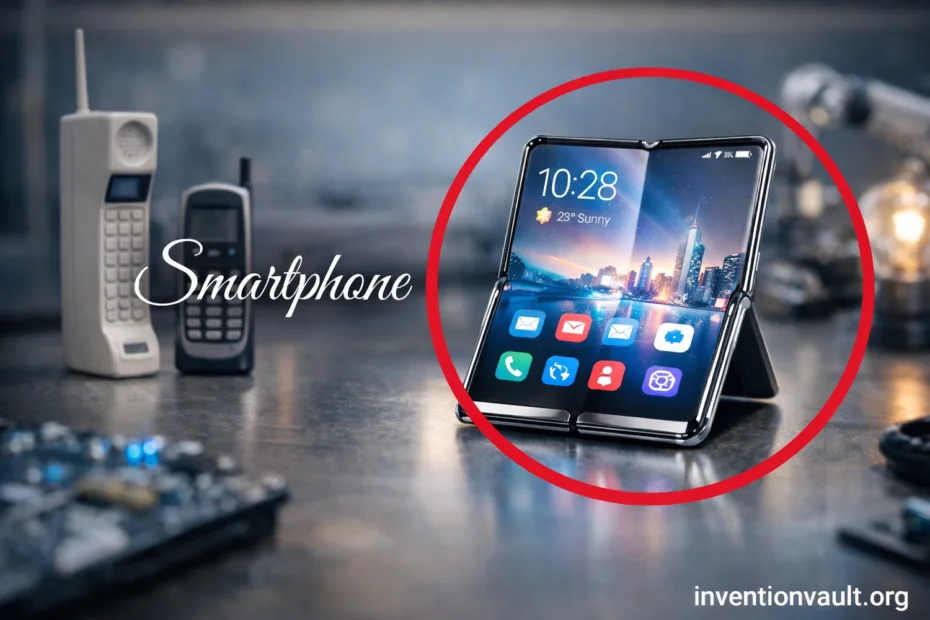
| Invention / Concept | Smartphone as a pocket communication hub that blends cellular calling, computing, and app-based services |
| Early Prototype Milestone | IBM’s “Sweetspot” prototype shown at COMDEX on November 16, 1992 |
| First Commercial Example | IBM Simon Personal Communicator (often cited as the first commercially sold smartphone-like device) |
| Consumer Availability | Simon reached consumers on August 16, 1994 (after a planned earlier launch) |
| Lead Architect | Frank Canova (IBM engineer associated with Simon’s concept and architecture) |
| Who Built It | Manufactured by Mitsubishi Electric for IBM; sold through BellSouth under the Simon name |
| Why Simon Mattered | Combined cellular phone functions with PDA tools such as calendar, contacts, and a notepad; supported messages and document-style communication (including fax) |
| First Widely Marketed “Smartphone” Label | Ericsson R380 (introduced in 1999; shipped around 2000) is often cited as the first device marketed as a “smartphone” |
| Modern Smartphone Turning Point | The iPhone went on sale on June 29, 2007, popularizing the full-touch, app-first model |
| Key Building Blocks | Cellular networks, compact touchscreens, lithium-ion batteries, and highly integrated system-on-chip (SoC) designs |
| Typical Inputs Today | Multi-touch, voice, biometrics (fingerprint/face), plus optional stylus and physical buttons |
| Common Connectivity | Cellular (4G/5G), Wi-Fi, Bluetooth, NFC, and satellite navigation (GNSS) |
| Core User Value | One device that can reach people, access information, and coordinate daily life from almost anywhere with coverage |
Smartphones look simple on the outside, yet they behave like a portable communications switchboard with a general-purpose computer inside. A single handset can handle voice, messaging, video calls, and real-time apps while quietly moving between networks and sensors. That blend is the real invention: a pocket hub that keeps communcation flowing without making you think about the plumbing.
- What Makes A Smartphone A Communication Hub
- From Early Hybrids To Modern Touch Computers
- Milestone Threads
- Why The Concept Stuck
- Core Hardware Inside The Pocket
- Compute And Memory
- Radios And Antennas
- Sensor Layer
- Connectivity Layers That Work Together
- Cellular
- Wi-Fi
- Short-Range Links
- Software That Turns Components Into Everyday Tools
- Three Software Ideas That Shaped Smartphones
- Smartphone Form Factors and Sub-Types
- Power, Charging, and Thermal Control
- How Phones Keep Heat Under Control
- Cameras, Audio, and Media as Communication
- Trust Features That Support Daily Use
- Everyday Security Building Blocks
- Accessibility As A Core Feature
- Why Smartphones Replaced So Many Separate Devices
- Common Hub Jobs A Phone Handles Daily
- References Used for This Article
What Makes A Smartphone A Communication Hub
A smartphone is not just a phone with extra features. It is a networked computer designed around instant reachability, where many services share the same radios, screen, and identity. The “hub” part comes from how it merges channels, so one contact can move from text to voice to video with almost no friction.
- Voice Calling and VoIP can coexist, selecting the best path for clarity and availability.
- SMS/MMS remains a simple, robust layer; modern messaging adds end-to-end encrypted chats in many apps.
- Email and calendars turn the device into a portable inbox with push notifications and quick replies.
- Video Calling leverages cameras, microphones, and fast networks to create face-to-face presence at distance.
- Sharing tools (files, photos, location) act like a real-time collaboration layer inside everyday conversation.
The breakthrough is not one feature. It is the way calling, messaging, media, and apps share the same identity and the same connectivity stack.
From Early Hybrids To Modern Touch Computers
The smartphone story starts with hybrid devices that blended PDA organizers with cellular radios. IBM Simon showed the concept in a single handheld: a touchscreen phone that also managed contacts, notes, and lightweight messaging. Later devices refined the idea, then the full-touch era made apps the center of the experience.
Milestone Threads
- 1992–1994: Early “phone + PDA” integration becomes real with touch input and built-in utilities.
- Late 1990s–2000s: More compact “smart” phones bring email and mobile web into daily use.
- 2007 onward: Large touchscreens and app ecosystems define the modern template.
Why The Concept Stuck
- One addressable device for reaching you: calls, messages, and alerts converge.
- One portable screen for information: maps, schedules, documents, and media.
- One software platform where new abilities arrive through apps instead of new hardware.
Core Hardware Inside The Pocket
Inside almost every smartphone is a tightly integrated set of parts designed for battery efficiency and constant connectivity. The key is integration: the system-on-chip (SoC) bundles major compute functions so the phone can stay fast without wasting power.
Compute And Memory
- CPU for general tasks, app logic, and system control.
- GPU for graphics, UI animation, and many camera workflows.
- Neural/AI Accelerators for on-device features like photo enhancement and voice processing.
- RAM for multitasking; storage for apps, photos, and offline data.
Radios And Antennas
- Cellular Modem connects to towers for voice and data.
- Wi-Fi handles local networking and internet access indoors.
- Bluetooth powers accessories like earbuds and watches with low energy use.
- NFC enables tap-based pairing and secure short-range interactions.
Sensor Layer
- Accelerometer and gyroscope detect motion for rotation, gaming, and stabilization.
- GNSS (satellite navigation) supports maps and location-based services.
- Ambient light and proximity improve display comfort and call behavior.
- Biometrics can add fast, convenient device unlocking.
| Sensor | What It Measures | What You Notice |
| Accelerometer | Linear movement | Auto-rotate, step tracking, smoother interaction |
| Gyroscope | Rotation | Stabilized video, accurate motion control in apps |
| GNSS | Satellite-based position/time | Turn-by-turn maps and reliable time sync |
| Wi-Fi / Bluetooth | Nearby networks & devices | Indoor positioning, accessories, quick sharing |
| Biometric | Fingerprint or face patterns | Fast unlock and safer app access |
Connectivity Layers That Work Together
A smartphone keeps a stack of connections ready, shifting between them to stay reachable. Cellular networks excel at wide-area coverage, Wi-Fi shines in homes and offices, and short-range radios link peripherals. This layered approach is why the device can feel always on without being locked to one method.
Cellular
4G/5G data supports modern messaging, calling, and video. Phones also manage handoffs so you can move between areas while keeping services stable.
Wi-Fi
Wi-Fi often delivers high throughput with low cost, ideal for calls over Wi-Fi, large downloads, and backups.
Short-Range Links
Bluetooth connects wearables and audio; NFC enables tap interactions; together they expand the phone into a personal device ecosystem.
| Network Era | User-Visible Shift | Typical Smartphone Impact |
| 2G | Digital voice and text | SMS becomes universal; basic data begins |
| 3G | Practical mobile internet | Web browsing, email sync, early app services |
| 4G | Fast, consistent data | Streaming, cloud apps, reliable video calls |
| 5G | More capacity and lower latency | Better performance in dense areas; smoother real-time experiences |
Software That Turns Components Into Everyday Tools
Hardware matters, but the smartphone becomes a true hub through operating system design and the app model. The OS coordinates radios, sensors, and power so apps can focus on services such as calling, navigation, photography, and collaboration.
Three Software Ideas That Shaped Smartphones
- App Sandboxing keeps apps separated so one app cannot freely read another app’s data.
- Permission Controls let you approve access to camera, microphone, location, and contacts.
- Background Services power push notifications and real-time sync without requiring the screen to stay on.
Updates are another quiet invention. Modern platforms ship security patches, improve stability, and expand features over time, helping a phone remain a trusted daily device rather than a short-lived gadget.
Smartphone Form Factors and Sub-Types
“Smartphone” describes a function, not a single shape. Different sub-types tune the same core idea—connected computing—for different priorities like portability, durability, or immersive media. Knowing these categories helps you understand why certain models emphasize particular hardware.
| Type | What It Emphasizes | Common Trade-Off |
| Touch Slab | Balanced design for apps, media, and daily messaging | Few physical controls; heavy reliance on screen input |
| Foldable | Phone-to-tablet flexibility with a larger workspace | More complex mechanics; thicker build |
| Rugged | Extra protection for demanding environments | Heavier, bulkier bodies |
| Camera-Focused | Advanced optics and processing for photo/video | Camera bump, higher power use during capture |
| Gaming | High-refresh displays and sustained performance | Often larger; more heat under long sessions |
| Stylus-Ready | Precise input for notes, markup, and drawing | Extra internal space devoted to stylus system |
Power, Charging, and Thermal Control
Smartphones run on lithium-ion batteries managed by a dedicated power system that balances speed, longevity, and safety. Charging can be wired (commonly via USB-C) or wireless using standards like Qi, which focuses on interoperability for compatible chargers and devices.
How Phones Keep Heat Under Control
- Dynamic performance lets the chip run faster briefly, then ease back to stay comfortable.
- Thermal materials spread heat so no single spot feels too hot.
- Charging management adjusts power to protect the battery and reduce excess warmth.
Battery health is influenced by chemistry and usage patterns. Phones reduce stress by limiting extreme conditions, and many offer settings that optimize charging based on routine. The goal is simple: reliable day-to-day power without sacrificing the convenience that makes a smartphone a constant companion.
Cameras, Audio, and Media as Communication
Modern communication is often visual and audio-first, so smartphones evolved into capable media devices. Cameras support sharing, scanning, and real-time presence; microphones and speakers enable clear conversation and hands-free interaction. A smartphone’s “hub” role grows when media becomes part of the message.
- Computational Photography blends sensor data and processing so results look consistent across lighting conditions.
- Document Capture turns cameras into practical tools for receipts, notes, and forms, often with edge detection.
- Noise Handling and multiple microphones help isolate voice for calls and recordings.
- Streaming merges capture, upload, and chat into one live channel.
Trust Features That Support Daily Use
To function as a true hub, a smartphone must feel dependable. That reliability comes from features that protect access and reduce accidental sharing, such as device encryption, app isolation, and biometric unlocking. These tools aim to keep the phone both convenient and confidently personal.
Everyday Security Building Blocks
- Secure Unlock via PIN and biometrics
- App Permissions that can be reviewed and adjusted
- Verified Updates to keep the system healthy
Accessibility As A Core Feature
- Screen readers and magnification
- Captions and hearing support options
- Voice control for hands-free interaction
Why Smartphones Replaced So Many Separate Devices
The smartphone’s impact is easiest to understand as convergence. Functions that once required separate tools—camera, GPS unit, music player, organizer—became software-driven features sharing the same sensors and connectivity. When new needs appear, the phone often adapts through apps and updates rather than new hardware categories.
Common Hub Jobs A Phone Handles Daily
- Coordination: schedules, reminders, and shared calendars
- Navigation: maps, transit, and location sharing
- Identity: secure sign-in, authentication prompts, and trusted devices
- Capture: photos, video, scanning, and notes
- Conversation: voice, chat, and video in one place
This is why the smartphone remains an evergreen invention: it is less a single feature than a platform for communication. As networks improve and chips become more efficient, the same basic idea keeps expanding—more clarity in calls, richer media, and faster access to the information that supports everyday decisions.
References Used for This Article
- Smithsonian Institution — IBM Simon Cellular Phone: Museum catalog entry supporting the device’s identity and historical significance.
- Computer History Museum — IBM/BellSouth Simon Personal Communicator – CHM Revolution: Clear overview of Simon’s hybrid phone/PDA feature set and why it’s often labeled an early smartphone.
- Apple Newsroom — iPhone Premieres This Friday Night at Apple Retail Stores: Primary source confirming the initial iPhone on-sale date and launch framing.
- Wireless Power Consortium — Qi Specifications: Standards-body reference for Qi wireless charging versions and baseline positioning.
- International Telecommunication Union (ITU) — IMT-2020 (a.k.a. “5G”): Authoritative framing of IMT-2020 as the global umbrella for 5G-related objectives and work.
- 3GPP — 5G System Overview: Standards-development overview describing the 5G system architecture and continuity with earlier generations.
- GPS.gov — Other Global Navigation Satellite Systems (GNSS): Government reference explaining GNSS as the broader category that includes GPS and other constellations.
- NIST CSRC — SP 800-124 Rev. 2, Guidelines for Managing the Security of Mobile Devices in the Enterprise: Security guidance supporting claims about mobile risk, controls, and enterprise device management.