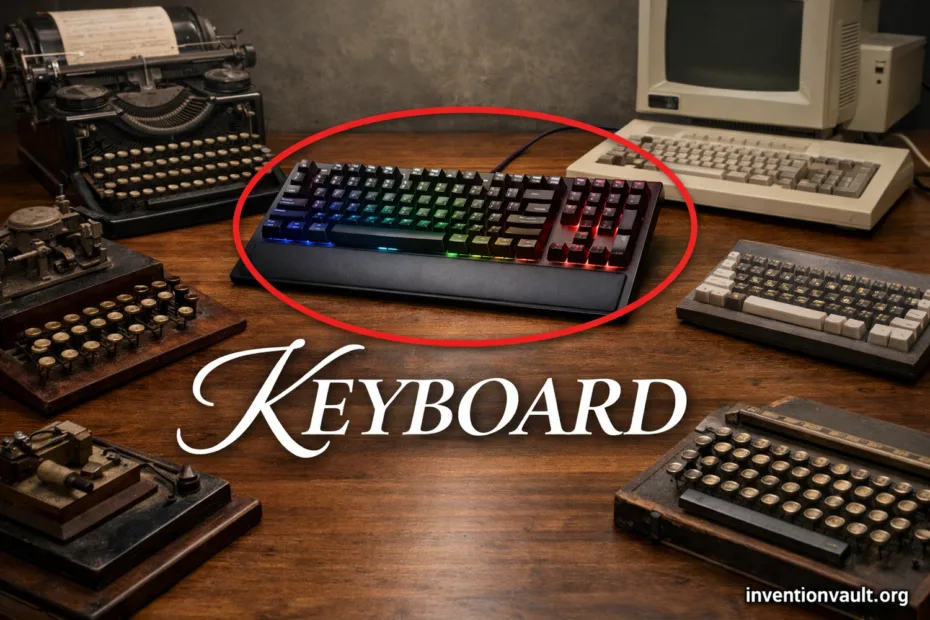
| Invention Name | Keyboard (typewriter and computer input device) |
| Core Purpose | Convert finger presses into letters, numbers, and commands for writing and control |
| Where It Comes From | Modern keyboards trace their key layout to the typewriter era and their electronic signaling to teleprinters and computer terminals |
| Early Key Figure | Christopher Latham Sholes is widely credited for a pivotal typewriter design and the QWERTY arrangement (with key collaborators in early typewriter development) |
| Early Patent Milestone | A key typewriter patent associated with Sholes is from 1868; the keyboard concept then evolved through many refinements and manufacturers |
| Layout “Family” | QWERTY became the most common Latin-script layout; other major families include AZERTY, QWERTZ, plus optimized layouts like Dvorak and Colemak |
| Core Internal Parts | Keycaps, switch mechanism (or dome), matrix (rows/columns), and a controller that reports key events |
| Common Switch Types | Membrane, scissor, mechanical, and sensor-based designs such as optical or Hall effect |
| Typical Key Count Range | From compact designs around ~60 keys to full-size sets around ~104–105 keys, plus regional variants and extra function keys |
| Modern Connection Methods | USB (wired), Bluetooth, and 2.4 GHz wireless—often all speaking a HID-style “human interface” language to the device |
| Why It Still Matters | It remains one of the fastest tools for text entry and a precise, low-fatigue way to trigger shortcuts and commands across software |
A keyboard is a deliberately engineered surface of keys that turns touch into repeatable input. It looks simple, yet inside it behaves like a small system: a switch field, a scanning matrix, and logic that transforms presses into characters and actions.
- What A Keyboard Actually Is
- From Typewriter Keys To Digital Input
- Inside The Keyboard
- Signal Path
- Why Debounce Exists
- Layout Families and Regional Variants
- Switch Types and What They Change
- Form Factors and Subtypes
- Size Families
- Geometry Subtypes
- Key Sets That Change How You Work
- Performance Terms People See
- Wired and Wireless Interfaces
- Common Connection Modes
- Materials That Shape Feel
- Keycaps
- Case and Plate
- Accessibility and Inclusive Input
- Modern Keyboard Innovations
- Key Terms Explained
- References Used for This Article
What A Keyboard Actually Is
A modern computer keyboard is both hardware and a standardized language. Hardware provides physical feedback; the language is the set of codes that software interprets as letters, symbols, and shortcuts.
- Text keys create characters (letters, numbers, punctuation) through a layout like QWERTY.
- Modifier keys (such as Shift, Alt, Control) change meaning, enabling shortcuts and alternate symbols.
- Function and navigation keys trigger commands and movement (arrows, Home/End), often tuned for workflow.
From Typewriter Keys To Digital Input
The keyboard’s story begins with mechanical writing. Typewriters formed expectations about key placement, spacing, and the feel of reliable keypresses. Later, teleprinters and terminals introduced electrical signaling, preparing the path for the computer keyboard.
| Phase | What Changed | Why It Matters |
|---|---|---|
| Typewriter Era | Lever-driven mechanisms and standardized key spacing | Touch typing becomes practical and scalable |
| Teleprinter / Terminal | Keypresses converted to signals and printed or displayed remotely | Encoding of text becomes central |
| Personal Computing | Dedicated keys for control, navigation, and function | Faster shortcuts, richer interaction |
| Modern Specialization | Switch innovation, compact layouts, programmable layers | Personal fit for comfort and use-case |
Inside The Keyboard
Under the keycaps, most designs rely on a matrix: a grid of rows and columns. The controller scans the grid, notices which intersections are closed, and reports key events. This scanning approach keeps wiring efficient while supporting many keys.
Signal Path
- Press moves a mechanism (dome, scissor, switch).
- Contact or sensor change closes a circuit in the matrix.
- Controller applies debounce logic to ignore chatter.
- Device reports a scancode / key event to the host.
Why Debounce Exists
Mechanical contacts can “bounce,” producing rapid on/off transitions. A controller filters that into one clean press and one clean release, which keeps typing accuracy high and prevents odd double letters.
Simple matrix idea (not to scale):
Row 1 ──[K]──[K]──[K]
Row 2 ──[K]──[K]──[K]
        Col1 Col2 Col3
Layout Families and Regional Variants
People often say “keyboard layout” and mean letter arrangement, but layout also includes key shapes, sizes, and the presence of extra keys. The most familiar family is QWERTY, yet many users grow up with AZERTY or QWERTZ and type just as fluently.
| Family | Typical Use | Distinctive Notes |
|---|---|---|
| QWERTY | English and many multilingual contexts | Baseline for many shortcuts; many physical keysets are built around it |
| AZERTY | French and related regional traditions | Letter placement differs; punctuation and accents often get dedicated access |
| QWERTZ | German and several Central European contexts | Y/Z swapped; extra characters supported through modifiers |
| Dvorak | Alternative typing communities | Designed to reduce finger travel; adoption depends on habit and software setup |
| Colemak | Alternative typing communities | Closer to QWERTY in feel; keeps many common shortcut positions |
Physical standards also matter: ANSI and ISO differ in key shape and placement, especially around Enter and Shift. Japan’s common JIS pattern adds keys for language input. These variations affect muscle memory more than people expect.
Switch Types and What They Change
The “feel” of a keyboard is mostly a story about switch design. Some designs emphasize quiet presses, others focus on crisp tactile feedback, and some target speed through sensing rather than metal contact. Even the same layout can feel totally different—teh difference is physical, not cosmetic.
| Switch Category | How It Works | Common Traits |
|---|---|---|
| Membrane (Rubber Dome) | Press collapses a dome to connect layers in a membrane | Affordable, often quieter; feel can be soft or “mushy” depending on build |
| Scissor | Low-profile dome with a stabilizing scissor mechanism | Stable and thin; popular in laptops; travel is typically shorter |
| Mechanical | Each key uses an individual switch with a spring and contact | Wide variety of feel; easier to service; supports many keycap options |
| Optical | Press interrupts or reflects light for sensing | Reduced contact wear; consistent triggering; depends on implementation |
| Hall Effect | Magnet movement detected by a sensor | Durable sensing; can support adjustable actuation in some designs |
| Electro-Capacitive | Press changes capacitance; controller interprets the change | Smooth feel; long life; often paired with refined tactility |
Form Factors and Subtypes
“Keyboard” is a broad category. Subtypes are defined by size, key selection, and ergonomic geometry. Compact boards trade dedicated keys for layers, while larger boards keep everything visible and direct.
Size Families
- Full-Size includes a numpad and navigation cluster.
- Tenkeyless drops the numpad for desk space.
- 75% / 65% / 60% compresses clusters; relies more on layers.
- 40% and smaller focus on minimal keys and strong layering.
Geometry Subtypes
- Split designs separate halves for shoulder width comfort.
- Ergonomic shapes use curves or columns to reduce reach.
- Ortholinear grids align keys in columns for a patterned feel.
- Low-Profile targets thin builds with shorter travel.
Key Sets That Change How You Work
Beyond letters, the keyboard is a dense control panel. Small clusters deliver big productivity because they reduce context switching. When keys are physically present, actions become muscle memory, not menu hunting. That is why people care about navigation and function rows.
- Numpad: fast numeric entry; common in accounting and data-heavy tasks.
- Navigation cluster: Insert/Delete, Home/End, Page Up/Down; useful for editing and review.
- Media keys: volume and playback controls; small comfort boosts with direct access.
- Programmable layers: multiple “virtual layouts” under the same physical keys; powerful for shortcuts and special symbols.
Performance Terms People See
Keyboard specs can sound dramatic, yet most of them describe one thing: how cleanly the device reports your intent. Rollover, ghosting, and scan behavior shape how multiple keys are read. It’s about precision, not hype.
| Term | Meaning | Why You Notice It |
|---|---|---|
| Rollover | How many keys can be pressed and read accurately at once | Important for shortcuts and multi-key commands |
| Anti-Ghosting | Design choices that prevent false key readings | Fewer “phantom” presses during fast input and heavy chording |
| Polling / Report Rate | How often the keyboard sends updates to the host | Can affect perceived responsiveness in certain contexts |
| Stabilizers | Mechanisms that keep long keys level (Space, Enter, Shift) | More consistent feel and sound; fewer wobbly key edges |
Wired and Wireless Interfaces
Connection choice shapes convenience and sometimes latency. Wired USB is straightforward and also powers lighting and controllers. Wireless options trade cables for mobility, using Bluetooth or 2.4 GHz radios with a receiver. Good implementations deliver stable respones while protecting battery life.
Common Connection Modes
- USB (wired): consistent power and data; widely compatible across devices.
- Bluetooth: easy multi-device pairing; favored for portability and minimal clutter.
- 2.4 GHz dongle: dedicated link; often chosen when steadiness and simplicity are priorities.
Materials That Shape Feel
The same switch can feel different depending on the surrounding build. Keycaps vary by plastic type and surface texture; cases vary by mass and rigidity. These choices influence sound, vibration, and the sense of solidity under your hands.
Keycaps
- Legends: printed, laser-etched, or molded; affects durability and clarity.
- Profiles: sculpted rows or uniform shapes; changes hand posture.
- Texture: matte vs glossy; influences grip and comfort during long sessions.
Case and Plate
- Rigid builds reduce flex; can feel precise.
- Flexible mounts soften impact; can feel more forgiving.
- Weight improves stability; keeps the board from sliding during fast input.
Accessibility and Inclusive Input
Keyboards are central to accessible computing. Features like Sticky Keys, repeat-key settings, and clear tactile separation can support many users without changing how software works. Language input also benefits: dead keys, compose sequences, and IME-style methods let one keyboard produce many scripts and symbols.
Good keyboard design respects variation: hand size, mobility, language, and task. A layout that feels “standard” to one person can be a barrier to another, so adaptability is a quiet form of innovation.
Modern Keyboard Innovations
Innovation today is less about adding keys and more about control and customization. Programmable layers, per-key remapping, and firmware features let a keyboard match the user’s work instead of forcing the user to match the keyboard. Hardware has followed: hot-swap sockets, low-profile mechanisms, and sensor-based switches refine consistency and serviceability.
- Layers turn one key into multiple roles, improving efficiency without crowding the layout.
- Remapping supports personal ergonomics and workflow preferences.
- Sensor switches explore new trigger methods for durable, repeatable actuation.
- Split and ergonomic subtypes continue to evolve, aiming for comfort across long, focused sessions.
Key Terms Explained
| Scancode | The identifier a keyboard reports for a key event, later mapped to characters or actions by software and settings |
| Key Travel | How far a key moves when pressed; influences feel and perceived comfort |
| Actuation | The point where a press registers as a key event; may occur before bottoming out |
| Stabilizer | A support mechanism for long keys; improves balance and consistency |
| Layer | An alternate mapping that gives the same physical keys different outputs, expanding capability without extra hardware |
References Used for This Article
- Library of Congress — Production on the Sholes and Glidden Type-Writer Began: Summarizes early typewriter commercialization and cites the 1868 patent milestone.
- Smithsonian National Museum of American History — Sholes, Glidden, & Soule Typewriter Patent Model: Documents the 1868 patent model and its historical attribution in a museum collection record.
- Smithsonian National Museum of American History — Sholes & Glidden Type Writer: Provides institutional context on the early machine and notes the emergence of the QWERTY arrangement.
- Smithsonian — Was the Patent Application for the Typewriter Handwritten?: Explains how typewriter patent documentation and figures relate to the now-standard QWERTY layout.
- USB Implementers Forum — Human Interface Devices (HID) Specifications and Tools: Central portal for the USB HID class materials that define how keyboards report input to hosts.
- Bluetooth SIG — Human Interface Device Profile 1.1.1: Defines how Bluetooth devices implement HID-style keyboard input over the Bluetooth protocol stack.
- ISO — ISO/IEC 9995-1:2009 Keyboard layout principles (withdrawn; newer version available): Describes standardized principles and sections for keyboard layouts in the ISO/IEC 9995 series.
- Microchip Technology — Using Matrix Keypad with AVR® Devices (Application Note): Gives a practical technical overview of matrix scanning and debouncing behavior relevant to keyboard-style input grids.