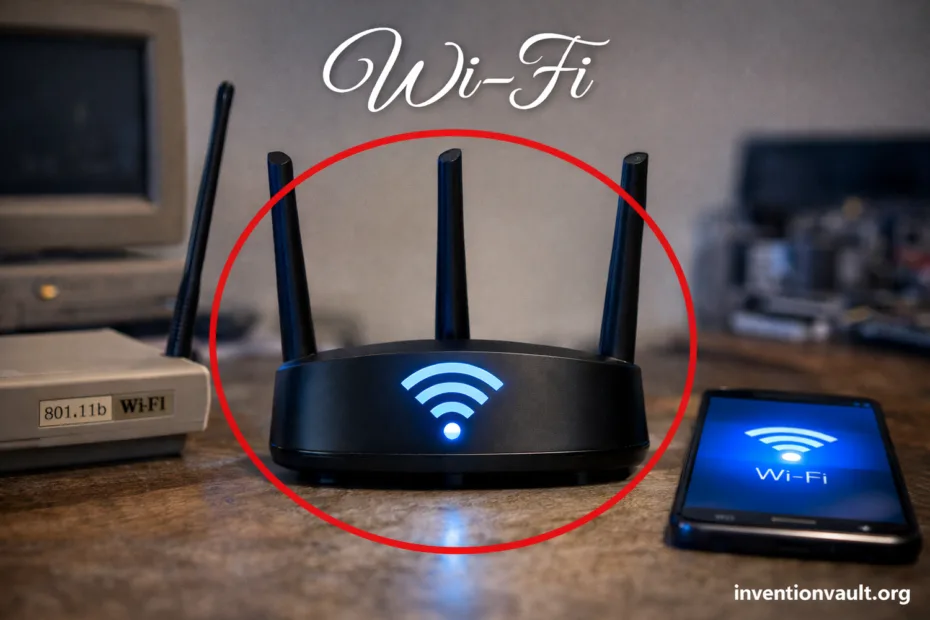
| Technology | Wi-Fi (a family of wireless local area network technologies based on IEEE 802.11) |
| What It Enables | Local networking over radio waves so devices can share internet access and local data without cables |
| Standardization | IEEE 802.11 Working Group (global technical standard for Wi-Fi operation) |
| Brand & Certification | Wi-Fi Alliance (interoperability programs; consumer-facing Wi-Fi Certified branding) |
| First 802.11 Release | 1997 (first published IEEE 802.11 baseline specification) |
| Early Mass Adoption | Late 1990s to early 2000s as 802.11 variants reached practical speeds and laptop integration |
| How Devices Share the Air | CSMA/CA at the MAC layer (devices coordinate to reduce collisions on a shared radio channel) |
| Common Frequency Bands | 2.4 GHz, 5 GHz, and 6 GHz (availability depends on device and region) |
| Typical Topology | Infrastructure mode (devices connect to an access point), plus optional ad hoc modes |
| Core Hardware Roles | Access point (AP), client station (phone/laptop), and often a router that bridges to the internet |
| Security Generations | WEP → WPA → WPA2 → WPA3 (stronger authentication and encryption over time) |
| Modern Capabilities | MIMO, OFDM, beamforming, and multi-user scheduling for better capacity and responsiveness |
| Notable Variants | Wi-Fi Mesh (multi-node coverage), Wi-Fi Direct (device-to-device), WiGig (very high frequency short range), and low-power long-range Wi-Fi families for IoT |
Wi-Fi is the quiet workhorse of modern life: a wireless local network that lets devices share data through IEEE 802.11 rules. It feels like “air magic” when it works. Underneath, it is careful radio engineering, strict timing, and smart error handling—built to keep many devices talking at once without turning the air into noise.
- What “Wi-Fi” Really Means
- Core Building Blocks of a Wi-Fi Network
- Access Point and SSID
- Router, DHCP, and Local Traffic
- How Wi-Fi Moves Data Through the Air
- The MAC Layer: Sharing a Busy Channel
- The PHY Layer: OFDM, MIMO, and Beamforming
- Wi-Fi Standards and Generations
- Why Generations Matter More Than “Speed”
- Frequency Bands and Channels
- 2.4 GHz: Reach and Crowding
- 5 GHz and 6 GHz: More Room
- Security and Privacy Basics
- A Calm Note on Passwords
- Wi-Fi Modes and Subtypes You May Encounter
- Mesh Wi-Fi
- Device-to-Device Wi-Fi
- Specialized Wi-Fi Families
- What Limits Wi-Fi Performance in Real Spaces
- Range, Capacity, and Latency Are a Triangle
- How Wi-Fi Became an Everyday Invention
- A Practical Glossary of Wi-Fi Terms
- References Used for This Article
What “Wi-Fi” Really Means
Wi-Fi is a brand name for interoperable products that follow IEEE 802.11. You will sometimes hear “Wireless Fidelity,” but that expansion is not part of the standard. In practical terms, Wi-Fi means your device can join a local network via an access point, negotiate security, and move packets reliably over radio spectrum.
That mix of standard and certification is why Wi-Fi became so universal. A laptop built years apart from a router can still connect because both sides speak the same 802.11 language, and certification programs encourage consistent behavior across vendors and chipsets.
Core Building Blocks of a Wi-Fi Network
Access Point and SSID
An access point (AP) is the local “radio hub.” It advertises an SSID (the network name) and coordinates which device talks when. The SSID is not the same as the physical radio identity; the hardware uses a separate identifier (often called a BSSID) tied to the AP’s radio interface.
- SSID: the friendly name you select
- AP: the radio base station for clients
- Infrastructure mode: the normal Wi-Fi pattern (clients ↔ AP)
Router, DHCP, and Local Traffic
In many homes, one box acts as AP plus router. The router connects your local network to the internet and usually runs DHCP, which hands each device an IP address. Local devices can also talk to each other directly, which matters for printing, casting, and file sharing.
- DHCP: automatic addressing inside the network
- NAT: common internet-sharing method on consumer routers
- LAN traffic: stays local even when internet is slow
How Wi-Fi Moves Data Through the Air
Wi-Fi sends information as tiny bursts of radio energy. Each burst carries symbols created by a modulation method chosen for the current link quality. When conditions are clean, Wi-Fi can use denser signaling. When the air is messy, it falls back to more robust signaling to protect reliability and range.
The MAC Layer: Sharing a Busy Channel
At the “traffic control” level, CSMA/CA is a key idea. Before sending, a device listens. If the channel sounds busy, it waits a randomized time. That small randomness is a big deal: it keeps many clients from talking at the same instant, which improves fairness and stability.
- Carrier sense: “Is someone else talking?”
- Backoff: wait a random interval before retrying
- Acknowledgements: the receiver confirms frames arrived
The PHY Layer: OFDM, MIMO, and Beamforming
On the radio side, modern Wi-Fi often relies on OFDM (splitting data across many subcarriers) and MIMO (using multiple antennas). With enough signal quality, multiple spatial streams can carry more data at once. Beamforming can focus energy toward a client, raising effective signal strength and improving consistency.
- OFDM: resilient to echoes in indoor spaces
- MIMO: more capacity using multiple antennas
- Spatial streams: parallel data paths over the same channel
Wi-Fi Standards and Generations
The IEEE 802.11 family is a long chain of improvements. Each major revision refines how Wi-Fi uses spectrum, schedules clients, and handles interference. Marketing names like Wi-Fi 6 map to specific standard generations, while the underlying 802.11 documents define the actual technical behavior.
| Generation Name | IEEE Family | What It Brought | Where You Notice It |
|---|---|---|---|
| Wi-Fi 4 | 802.11n | MIMO adoption and wider channels | Better coverage and more stable throughput |
| Wi-Fi 5 | 802.11ac | More 5 GHz focus, higher efficiency, advanced modulation | Higher peak speeds in clean 5 GHz environments |
| Wi-Fi 6 | 802.11ax | OFDMA and better scheduling for many clients | Smoother performance in busy homes and offices |
| Wi-Fi 6E | 802.11ax in 6 GHz | New 6 GHz channels where allowed | Less congestion, more clean spectrum for compatible devices |
| Wi-Fi 7 | 802.11be | Multi-link operation and further capacity gains | Lower latency potential and stronger multi-device handling |
Why Generations Matter More Than “Speed”
Raw speed numbers rarely describe real Wi-Fi. What changes daily life is efficiency: how well a network handles many phones, laptops, TVs, and smart devices at once. Newer generations improve scheduling, reduce overhead, and cope with echoes and interference. Indoors, speeds are often measurably differnt from what a box headline suggests.
Frequency Bands and Channels
Wi-Fi lives inside specific frequency bands. Band choice affects range, wall penetration, and available channel space. The 2.4 GHz band travels farther, but it is crowded. The 5 GHz band offers more room and less interference in many places. The 6 GHz band (where available) provides fresh channel space for modern, compatible gear.
2.4 GHz: Reach and Crowding
The 2.4 GHz band is shared by many everyday devices. It can punch through walls better, yet it is more likely to suffer from interference. For typical 20 MHz channels, planners often prefer a small set of well-spaced channels to reduce overlap and keep airtime predictable.
Common 2.4 GHz channel spacing idea (20 MHz):
1     6     11
|-----|-----|
5 GHz and 6 GHz: More Room
The 5 GHz band typically supports more channels, which helps separate neighbors and reduce collisions. The 6 GHz band expands that idea further with wider, cleaner channel options for compatible devices. The trade-off is physical: higher frequencies often lose strength faster through dense obstacles, so AP placement still matters.
- More channels can mean less contention
- Wider channels can raise peak throughput but also consume more spectrum
- Shorter reach is common at higher bands indoors
Security and Privacy Basics
Wi-Fi security is the difference between a private local network and an open radio chat. Early designs were simple, then the world learned the hard way that radio networks need strong, modern cryptography. Today, WPA2 and WPA3 are the practical baseline in most environments, with stronger handshake behavior and better protection against password guessing.
| Security Mode | Core Idea | What Users Should Know |
|---|---|---|
| Open | No password; no encryption | Traffic can be readable on the air; use only when you truly expect a public network |
| WEP | Early encryption approach | Legacy; should be avoided on modern networks |
| WPA / WPA2 | Stronger encryption and authentication | Still widely used; choose strong passphrases and keep firmware updated |
| WPA3 | Modern handshake and improved protection | Preferred when devices support it; improves resilience against offline guessing |
A Calm Note on Passwords
A Wi-Fi password protects the network boundary, but it also shapes user experience. A short password is easy to share and easy to guess. A long passphrase is more secure and still usable—especially when devices can join via QR code or password managers. Strong encrpytion matters, but so does consistent configuration across your APs and devices.
Wi-Fi Modes and Subtypes You May Encounter
Not all Wi-Fi looks like a single router in a corner. The 802.11 ecosystem includes specialized modes and variants shaped for different distances, power budgets, and connection patterns. These are still part of the wider IEEE 802.11 idea, but they optimize for different priorities.
Mesh Wi-Fi
Mesh Wi-Fi uses multiple nodes to extend coverage. A client still connects via Wi-Fi, but the system coordinates roaming and backhaul links so devices can stay connected as you move. The benefit is broader, more even coverage with fewer dead spots.
- Nodes: multiple radios covering one network name
- Roaming: clients switch to a stronger AP as needed
- Backhaul: the node-to-node link (wired or wireless)
Device-to-Device Wi-Fi
Wi-Fi Direct supports device-to-device connections without a traditional router. It can be used for quick sharing or pairing scenarios, while still using standard Wi-Fi radio techniques. It is not “Bluetooth replacement” in all cases, but it can offer higher throughput when conditions are friendly.
- Direct link: devices negotiate roles for the session
- Local transfer: useful when internet is not required
- Short-range reality: walls and distance still apply
Specialized Wi-Fi Families
Some 802.11 variants are designed for very short range or very low power. Examples include ultra-short-range high-frequency approaches (often associated with WiGig) and low-power, longer-range families built for sensors and IoT. These variants keep the spirit of Wi-Fi—local radio networking—while aiming at a different practical target.
- High-frequency short range: very fast links across a room
- Low-power long range: better battery life for sensors
- Use-case fit: the “right Wi-Fi” depends on distance and device limits
What Limits Wi-Fi Performance in Real Spaces
Wi-Fi performance is shaped by physics and crowd behavior. Walls absorb and reflect radio energy. Neighbors contend for airtime. Even your own devices compete with each other, because a channel is a shared medium. Many “slow Wi-Fi” cases are actually airtime congestion or poor placement rather than a broken router.
- Signal strength matters, but so does signal quality (noise and interference)
- Channel width trades peak throughput against susceptibility to interference
- Client capability matters: older devices may limit how efficiently the AP can schedule the air
- Backhaul matters in mesh systems; a weak backhaul can cap the whole network’s feel
Range, Capacity, and Latency Are a Triangle
Wi-Fi engineering often balances three pressures: range, capacity, and latency. A setup tuned for wide coverage may accept lower peak throughput at the edges. A setup tuned for high peak speed may need closer AP placement. A setup tuned for low latency benefits from clean spectrum and efficient scheduling, especially when many clients are active.
How Wi-Fi Became an Everyday Invention
The story of Wi-Fi is not a single “eureka” moment. It is a standard that matured through many iterations, guided by research insights and practical constraints from real buildings. The IEEE 802.11 process created a shared technical language. Interoperability programs helped turn that language into products that ordinary people could trust.
One name often linked to the early coordination of the 802.11 effort is Vic Hayes, sometimes nicknamed the “father of Wi-Fi” for his leadership role in the working group era when foundational decisions were shaped. Still, the achievement remains collective: radio engineers, standards authors, and product teams all pushed Wi-Fi from a lab concept into a global expectation.
Wi-Fi is a standard you can feel: it turns “local networking” into a daily habit, from work calls to smart home control, without asking users to think about radio engineering.
A Practical Glossary of Wi-Fi Terms
- Access Point (AP): the device that coordinates Wi-Fi connections for clients
- Client / Station: a phone, laptop, TV, or sensor using Wi-Fi
- SSID: the network name shown in device lists
- Channel: the frequency slice a Wi-Fi radio uses
- Band: 2.4 GHz, 5 GHz, or 6 GHz frequency ranges used by Wi-Fi
- Throughput: usable data rate after overhead, not just a theoretical link rate
- Latency: how long small packets take to cross the network
- OFDMA: a scheduling method that splits a channel for multiple clients efficiently
- MIMO: multiple antennas carrying parallel data streams
- WPA2 / WPA3: common security standards for encrypted Wi-Fi networks
References Used for This Article
- Federal Communications Commission (FCC) — FCC Opens 6 GHz Band to Wi-Fi and Other Unlicensed Uses: Explains the U.S. regulatory decision that enabled unlicensed Wi-Fi operation in the 6 GHz band.
- IEEE 802.11 Working Group — The Working Group Setting the Standards for Wireless LANs: Provides the official home for IEEE 802.11 work, including standards listings and working group resources.
- IEEE Standards Association — IEEE 802.11-2024: Summarizes the core MAC/PHY standard that underpins modern Wi-Fi implementations.
- IEEE 802.11 Working Group — Overview of the IEEE 802.11 Working Group: Describes how 802.11 maintenance and revisions are organized within the standards process.
- IEEE Standards Association — IEEE 802.11ax-2021: Documents the standard revision associated with Wi-Fi 6 features such as improved efficiency and scheduling.
- IEEE Standards Association — IEEE 802.11ad-2012: Covers the 60 GHz amendment commonly associated with very short-range multi-gigabit Wi-Fi (WiGig).
- Wi-Fi Alliance — Wi-Fi Alliance begins certifying devices that support the Wi-Fi 7 wireless standard: Describes the industry certification milestone that maps the marketing generation label to interoperable devices.
- National Institute of Standards and Technology (NIST) — Guidelines for Securing Wireless Local Area Networks (WLANs): Offers practical guidance for configuring and monitoring Wi-Fi security in real deployments.