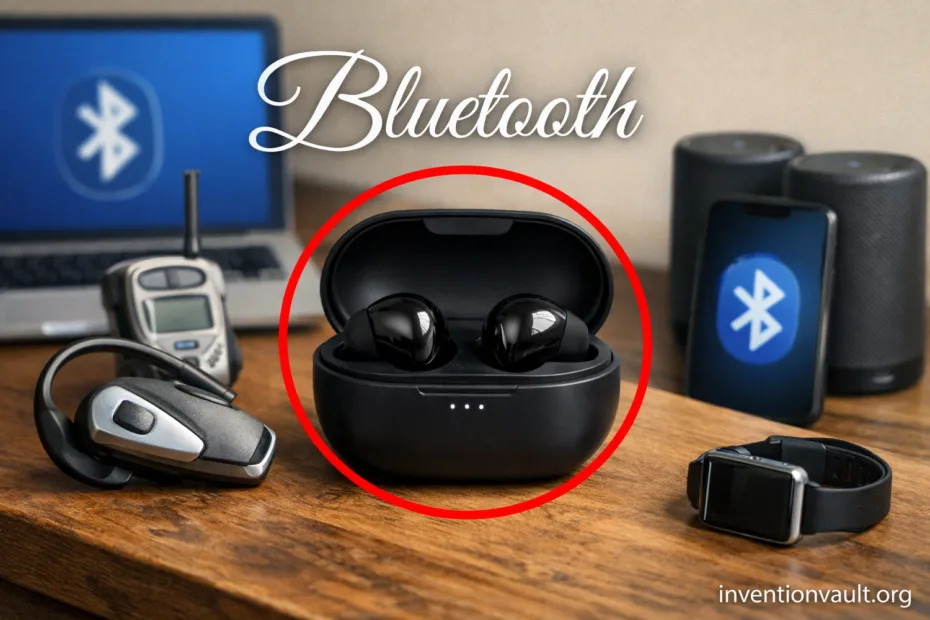
| Invention / Technology | Bluetooth (short-range wireless links) |
| Primary Purpose | Replace short cables with a secure, low-power radio link for everyday devices |
| Early Development | Mid-1990s at Ericsson; widely credited engineering leadership includes Jaap Haartsen and Sven Mattisson |
| Industry Group | Bluetooth SIG (industry consortium) formed in 1998 |
| First Public Specification Era | Late 1990s; the earliest widely referenced release is Bluetooth 1.0 (1999) |
| Name Origin | The “Bluetooth” codename references Harald Bluetooth; the name is commonly attributed to early SIG-era discussions |
| Radio Band | 2.4 GHz ISM band (license-free in many regions), typically ~2.402–2.480 GHz |
| Core Trick | Frequency hopping and robust link management to stay reliable in busy airwaves |
| Main Families | Bluetooth Classic (audio/data), Bluetooth Low Energy (sensors/IoT), Bluetooth Mesh (many-node networks) |
| Typical Real-World Range | Often 1–10 meters for small devices, and longer in open space with the right power/antenna |
| What Users Notice | Pairing, audio streaming, device control, and quick reconnects |
| Security Building Blocks | Authenticated pairing options, encryption, and privacy-friendly addressing (especially in BLE) |
Bluetooth is a quiet workhorse: it creates short-range wireless links that feel almost invisible until you notice how many daily tools depend on them—earbuds, keyboards, watches, medical sensors, and plenty more. What makes Bluetooth special is not one magical feature, but a set of practical design choices: small radios, predictable behavior, and efficient power use in a crowded band.
- What Bluetooth Is Built to Do
- Bluetooth Stack in Plain Terms
- The Radio and Link Side
- The “What It Means” Side
- How Bluetooth Uses the 2.4 GHz Band
- Bluetooth Classic and Bluetooth Low Energy
- Bluetooth Classic Details
- Bluetooth Low Energy Details
- Bluetooth Mesh and Broadcast Links
- Profiles That Make Devices Compatible
- Why Profiles Matter for Buyers and Builders
- Range and Power Classes
- Audio Links: What Happens Under the Hood
- Input Devices: Keyboards, Mice, and Controllers
- Health and Sensor Links
- Pairing, Trust, and Privacy
- What “Secure Pairing” Usually Means
- Living Next to Wi-Fi: Coexistence Without Drama
- Choosing the Right Bluetooth Flavor for a Product
- Why Bluetooth Became an Everyday Standard
- References Used for This Article
What Bluetooth Is Built to Do
- Connect nearby devices without a router, using device-to-device links.
- Favor low energy operation when the job is tiny bursts of data.
- Support stable audio when the job is continuous streaming (headsets, speakers).
- Offer profiles so “a mouse is a mouse” across brands, with predictable compatibility.
Bluetooth Stack in Plain Terms
The Radio and Link Side
- Radio: sends bits over the 2.4 GHz band.
- Link layer: decides when to talk, which channel to use, and how to recover from noise.
- Device roles: who initiates, who listens, and how the connection stays alive.
The “What It Means” Side
- Profiles: agreed rules for common tasks like audio or keyboards.
- Services and characteristics (BLE): structured data like heart rate, temperature, or battery level.
- App behavior: what users see—pairing prompts, device names, and reconnect speed.
How Bluetooth Uses the 2.4 GHz Band
The 2.4 GHz ISM band is popular because many devices can use it without individual licensing. That also means it can be busy. Bluetooth stays usable by moving around the band and by shaping its transmissions so short links remain steady even with everyday interferance in the air.
| Bluetooth Mode | Channel Plan | Why It Matters |
|---|---|---|
| Bluetooth Classic | Traditionally 79 channels, 1 MHz wide (region-dependent) | Fast hopping helps audio/data feel smooth near other radios |
| Bluetooth Low Energy (BLE) | 40 channels, 2 MHz wide (including dedicated advertising channels) | Simple discovery plus efficient connections for sensors |
| Bluetooth Mesh | Built on BLE advertising and managed relays | Many nodes can share messages without one central hub |
Bluetooth Classic and Bluetooth Low Energy
Bluetooth Classic and Bluetooth Low Energy share a brand name, but they behave differently because they were optimized for different jobs. Classic is comfortable with continuous streams like music. BLE is happiest with short bursts—measure, report, sleep, repeat—where battery life is the headline feature.
| Feature | Bluetooth Classic | Bluetooth Low Energy |
|---|---|---|
| Best Fit | Audio, controllers, legacy accessories | Sensors, wearables, beacons, IoT controls |
| Connection Style | Designed for steady links | Optimized for short, scheduled exchanges |
| Energy Profile | Good, but not minimal during continuous use | Built for very low power operation |
| Data Patterns | Streaming and interactive traffic | Small packets, periodic updates, event-driven signals |
| Common User Experience | Headsets, speakers, cars, gamepads | Fitness trackers, smart locks, sensors, phone-to-device setup |
Bluetooth Classic Details
- Supports well-known audio paths such as A2DP (stereo) and HFP (hands-free), giving predictable behavior across devices.
- Often paired with codecs on top of mandatory basics (for example, SBC is widely supported), shaping sound quality and latency.
- Works well when the link must feel continuous, like a controller or car audio session.
Bluetooth Low Energy Details
- Uses advertising so devices can be discovered quickly, then switches to connected mode for private data.
- Data is organized via GATT (services/characteristics), which makes sensor values structured and easy for apps to interpret.
- Modern BLE can scale from “tiny packets” to more capable links while keeping sleep time high.
Bluetooth succeeds because it makes “nearby” feel effortless—the radio work is complex, but the user experience aims to stay simple.
Bluetooth Mesh and Broadcast Links
Bluetooth Mesh extends BLE ideas to many devices at once. Instead of one central device managing every conversation, messages can be relayed across nodes so a building full of lights, sensors, or switches can behave like one coordinated system. The focus is coverage and reliability, not high-speed streaming.
Broadcast-style BLE features also matter in modern designs: a device can “announce” information without a tight one-to-one connection. This is how beacons work, and it also supports newer ideas like audio broadcasting in the Bluetooth ecosystem (where supported), which aims for shared listening in public or group settings while staying accessible.
Profiles That Make Devices Compatible
Bluetooth is not one single “app.” It’s a toolkit, and profiles are the rulebooks that make different brands cooperate. When your phone streams to a speaker, or a laptop reads a mouse click, it’s using profiles so behavior stays consistent and the connection feels normal rather than experimental.
- A2DP: stereo audio streaming; a foundation for many wireless headphones.
- HFP / HSP: hands-free calling behavior, common in cars and headsets.
- HID: keyboards, mice, game controllers; built for fast response.
- GATT Services (BLE): standardized sensor data like heart rate, cycling speed, and battery.
Why Profiles Matter for Buyers and Builders
When a device supports the right profile, it’s more likely to “just work” across phones, tablets, computers, and cars. That means fewer surprises, clearer expectations, and a better experience even when brands are mixed. It’s a subtle point, but it’s one of the biggest reasons Bluetooth became a default choice.
Range and Power Classes
Bluetooth range is not a single number. It depends on radio power, antenna design, the environment, and even how you hold a device. Many small products aim for room-scale reliability, while others are designed for longer links in open space using more robust modes and better antennas.
| Concept | What It Means | What Users Feel |
|---|---|---|
| Power Class | Rough bucket for transmit strength (device-dependent) | How easily the link stays stable across a room or beyond |
| Line of Sight | Fewer obstacles, less signal loss | Fewer dropouts, smoother audio |
| Indoor Obstacles | Walls, people, metal surfaces absorb/reflect signals | Shorter effective range, but reconnects are often quick |
Audio Links: What Happens Under the Hood
Audio is where Bluetooth is judged harshly, because humans notice delays and glitches instantly. A typical Bluetooth audio chain includes radio transport plus an audio codec that compresses sound. The codec choice influences latency, battery drain, and perceived clarity. Good products balance all three, and they do it without asking the listener to think about any of it.
Newer Bluetooth ecosystems also support LE Audio, designed around BLE concepts with modern audio features. It introduces the LC3 codec as a key building block, aiming for efficient sound at lower bitrates, and it opens the door to broadcast-style listening where supported. Not every device has it, but the direction is clear: more flexible audio, better efficiency, and broader accessibility.
Input Devices: Keyboards, Mice, and Controllers
For input devices, the priorities flip. A keyboard doesn’t need a lot of bandwidth, but it needs responsiveness and predictable power use. Bluetooth supports this through HID behavior and efficient scheduling so taps and clicks feel instant while the device spends most of its life in sleep mode. That’s why Bluetooth mice can run for months in real life.
Health and Sensor Links
BLE is especially suited for sensors because it treats communication like short appointments instead of an always-on conversation. A wearable can measure heart rate or motion, send a small update, then return to low-power rest. Standard BLE services help apps interpret data in a consistent way, which supports everything from casual fitness tracking to more structured monitoring—always within the boundaries of what the device is designed to measure.
Examples of Common BLE Data Types
- Heart Rate readings and intervals (when provided by the device)
- Battery Level as a simple percentage, helpful for maintenance
- Temperature and environmental values for smart home sensors
- Motion events and step-related metrics in many wearables
Pairing, Trust, and Privacy
Pairing is Bluetooth’s way of creating a trusted relationship between devices. Depending on device capabilities, pairing can involve a simple approval, a PIN-style entry, or a confirmation method that reduces the chance of accidental connections. Once paired, many links use encryption, and BLE commonly uses privacy techniques like changing identifiers so passive tracking becomes harder. In everyday terms: your devices can recognize each other without broadcasting a permanent identity every second.
What “Secure Pairing” Usually Means
- Devices establish keys for a protected relationship.
- Connections can be encrypted to keep data private on the air.
- Stronger pairing methods reduce the odds of pairing with the wrong device nearby.
Living Next to Wi-Fi: Coexistence Without Drama
Wi-Fi, Bluetooth, and other gadgets often share the same 2.4 GHz space. Bluetooth handles this by hopping and by adapting channel choices so it can avoid noisy slices of spectrum. In a well-designed product, this shows up as fewer dropouts, smoother reconnect behavior, and audio that keeps playing even when the room is full of wireless traffic.
Choosing the Right Bluetooth Flavor for a Product
When you see “Bluetooth” on a box, it helps to know which family is doing the work. A speaker leans on Bluetooth Classic for robust streaming. A smart tag or sensor leans on BLE for efficient updates. A smart building full of switches may lean on Bluetooth Mesh to reach many endpoints. It’s the same brand, but the underlying behavior is chosen to match the job.
| If the Main Need Is… | Usually Points To | Typical Examples |
|---|---|---|
| Continuous audio with stable playback | Bluetooth Classic | Headphones, speakers, car audio |
| Long battery life with small data bursts | Bluetooth Low Energy | Wearables, sensors, trackers |
| Many nodes sharing simple messages | Bluetooth Mesh | Lighting, building controls, large sensor networks |
Why Bluetooth Became an Everyday Standard
Bluetooth didn’t win by being the fastest radio on paper. It won by being good enough in bandwidth, excellent in power efficiency (especially with BLE), and unusually strong at turning messy real-world requirements into repeatable behavior through profiles. That combination made short-range wireless links feel as ordinary as a cable—except you don’t need the cable.
References Used for This Article
- National Institute of Standards and Technology (NIST) — NIST IR 7761r1 (Smart Grid Interoperability Panel, PAP 2): Confirms the 2.4 GHz ISM band allocation range commonly cited for unlicensed devices.
- Bluetooth SIG — 20 Years of Bluetooth (Interactive History): Summarizes key milestones such as the SIG’s formation and early standardization timeline.
- Bluetooth SIG — Core Specification 5.4: Provides the authoritative specification baseline for modern Bluetooth architecture, roles, and behavior.
- Bluetooth SIG — Generic Attribute Profile (GATT) (Core Spec 5.4 HTML): Defines how BLE structures and exchanges data using services, characteristics, and ATT procedures.
- Bluetooth SIG — Mesh Profile 1.0.1 Adopted: Specifies the interoperability requirements for Bluetooth mesh networking built on Bluetooth Low Energy.
- Bluetooth SIG — Low Complexity Communication Codec (LC3) 1.0 Adopted: Documents the LC3 codec used for LE Audio, including core capabilities and conformance materials.
- IEEE Standards Association — IEEE 802.15.1-2002: Explains the IEEE standard adaptation of Bluetooth MAC/PHY layers for wireless personal area networks.
- National Museum of Denmark — The Jelling Stone: Provides an institutional reference for Harald Bluetooth and the Jelling monument linked to the name origin.